New Posts

Showing posts with label itunes. Show all posts

Monday, November 30, 2015

Apple Music vs iTunes Match

Let's get ready to ruuuumble!!!!.

With Apple's new music service now available on all promised platforms, including Andriod Devices, lets take a quick look at what it does and compare it to iTunes Match.

iTunes Match

iTunes Match is a $24.99 per year service that will upload your music library to Apple's servers, and make it available to all your devices directly. It will take a max of 25,000 songs, that's twenty five thousand songs. Its been recently updated to take up to 100,000 songs.

The service will attempt to match any song in your computer's iTunes library to a song in the iTunes Store catalog. It if finds a match that song can then be played on any device you own that is using the same Apple ID. Your matched songs will be replaced with the high quality versions of the songs in the iTunes Store catalog. Any song it cannot match will be uploaded to Apple's servers as is, and will be offered to your devices for streaming and download as they were originally in your library.

The Central storage option in Apple's servers allows instant access to stream and download form any Apple device using the same Apple ID for iCloud, and the iTunes Store. This can come in handy, if you have several devices, and do not want to spend a lot of time syncing your library to each of them.

Matched songs are DRM free. Which means you can download the higher quality versions and burn them to CD, or copy them to another computer / device without any problems.


Apple Music

On the surface the service may seem very much the same as iTunes Match, but there are some key differences to be aware of.

Apple Music costs $9.99 a month for single user. or $14.99 a month for Family Membership. This means any member of a Family Sharing group can have access to it, unlike iTunes Match which is a single user service, and cannot be shared.

Like iTunes Match Apple Music will match any song in your library to a song in the iTunes Store Catalog, and will upload as is whatever it cannot match. It will make all your songs available to all your devices using the same Apple ID for streaming and download in as high quality as it can just like iTunes Match would. Up to here, Apple Music appears to be just a more expensive option to iTunes Match.

But Apple Music does a bit more than that. With the $9.99 monthly fee comes access to the entirety of the iTunes Store music Catalog for streaming and offline play back. That is you can play anything in the store for free in its entirety while you remain subscribed to the service. That is literally access to millions of songs and albums.

You also get specially curated lists of songs tailored to your tastes, as well as access to artists and albums features not available otherwise.


Differences

While iTunes Match lacks access to the entire iTunes Store Catalog, its also noticeably cheaper. $7.91 cheaper to be precise, per month. But as said you don't get access to the iTunes store catalog. This may or may not be important to you. But it needs to pointed out.

The other major difference is iTunes Match offers DRM free versions of your matched tracks. Which means you can use these anywhere you want to. Burn to a CD, copy to a USB drive sync to non Wi-Fi iPods etc.. Apple Music on the other hand will offer DRM protected tracks, which means they will only work with authorized devices, and ones that can support the Apple ID authentication. So no copying to USB device or burning to a CD, and no syncing directly form a computer to anything. All music syncing must be done over the internet to validate the subscription to the service. This Applies to all your tracks: matched and uploaded. They all become DRM protected.

This makes Apple Music simultaneously more restricted, but with much more content to offer than iTunes Match.


Cancellation

So what happens when you cancel either of these?

When you cancel iTunes Match, any downloaded songs, to your devices remain functional and playable on the device they are on. You simply loose the central cloud access on Apple's servers. So anything not on a device would need to be synced from your computer normally.

When your Apple Music subscription expires however, any song whether it was matched from your library, or made available offline from the iTunes Store catalog will stop working. You will not be able to play it, or move it, or do really anything with it. Since Apple Music songs are DRM protected, they require the subscription be active for the DRM to validate and let you play them.

Judges' Ruling

At the end of the day, if you can do without access to the iTunes Music catalog, iTunes Match is the better service in most respects. If you do need or just really really want the access to the iTunes catalog then choose Apple Music, but be aware of the DRM limitations.

Useful Links

Apple's Apple Music Website

Apple's iTunes Match Website

Wednesday, October 24, 2012

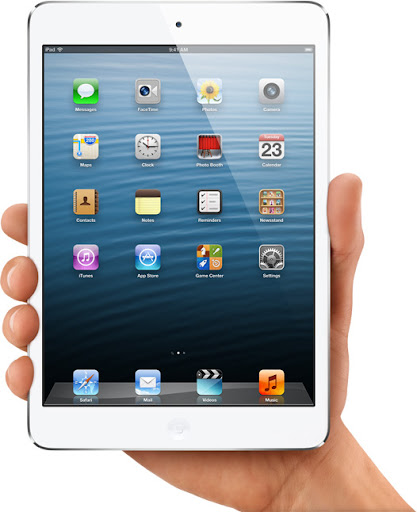
Overview of iPad Mini and iPad 4 reveals

iPad Mini
I'm by no means an Apple Fanboy... I like their products, but I can still bash them when required.
Today I want to write a bit about their keynote this Tuesday and specifically their reveal of the new iPads
Their Tuesday reveal of their new iPads left many to question many decisions on their new products not because they are  bad, but because they are at all.

iPad 4

Having released the iPad 3 only 6 months ago, it puzzles me why they would release a new one so soon. Usually they have a yearly release of products, iPhones for the most part follow the yearly release for major updates, and a 6 month release for and versions such as the 3Gs and the 4s.
iPads have been pretty good at keeping a yearly release until now. but that's not really the puzzling thing. What is more intriguing is the decision to discontinue the iPad 3 in favor if the iPad 4 but leave the iPad 2.
Looking at the specs, it seems the iPad 4 is really only a very minor improvement over iPad 3. So it makes sense that they would not need two extremely similar products competing with each other. However that leaves the question of why release an iPad 3 at all 6 months ago. They could have simply kept the iPad 2 for those 6 months, and release the iPad 4 as the iPad 3 along side the iPhone 5. Then it would have been a major upgrade.
For those fearing the iPad 3 will no longer receive upgrades, I find that extremely hard to believe. Just because they aren't making the device anymore doesn't mean they'll stop supporting it with upgrades. At least one more major update so it gets 2 major updates total like the iPad 2 had.

iPad Mini

This release is the one I have to question more. The iPad mini is not only not a real good competitor in terms of specs in the 7 inch market niche, but its also the more expensive alternative.
Personally I don't think the 7 inch tablet market is the way to go. Nor do I think a 5 inch iPhone is the way to go either. The intermediate sizes make it too cumbersome for a phone and not large enough for a good tablet experience. If I want to watch movies, look at pictures, read books, I want to do it in a larger screen rather than a smaller screen. The 10 inch screen is a good size for a handheld device without sacrificing detail or size. For this reason the 7 inch tablet market is one I'm not particularly interested in. Nor do I think many people are. Walking around places like Starbucks, Libraries, museums etc... People carry 10 inch tablets with them. Very very few opt for the smaller 7 inch ones. Even then more people are going for the 4.x inch screen phones. Samsung even has a niche all its own with the 5 inch Galaxy Note. How many galaxy notes have you seen around? Again the size makes it cumbersome for a phone, and limits the features a tablet can provide.
With 7 inch tablets as low as 150 bucks, what are you getting in the mini for the extra 200 dollars that warrant it. Yes tons of apps and games are available in the store, but the display is a standard display well below other tablets resolutions, the processing power is also not to par with other tablets in the range.
At the time of writing, the Google Nexus 7 beyond its manufacturing issues, still offers the best bang for the buck. Its even more surprising when Steve Jobs himself outlined 5 reasons why 7 inch tablets where not viable options.
Only time will tell if the Mini really is as successful as they hope it is. Personally 7 inches is not enough for me on a tablet and I don't think the mini will get a version 2.

Wednesday, October 10, 2012

iTunes Survival Tips Part 2

Usage of an AppleID

Apple ID
As I said in part 1:

# 3. Keep a single Apple ID.

Yes as annoying as it sounds, the best practice is to keep a single Apple ID. Why because you can never merge the extra accounts, and you'll have content in one you won't in the other...
However this should only apply to your Apple ID and devices. If your girlfriend or boyfriend also have an iDevice (particularly an iPhone) you really need to have separate ID's.

Don't use the same Apple ID in 2 or more iPhones

When setting up an iPhone use the apple ID of the person the phone belongs to. Why? Because otherwise both phones are setup as belonging to one Apple ID. What that means is that Apple's servers then think they are supposed to send all notifications, all messages and all events to both devices.  Like if you had a iPhone and an iPad and wanted both to get the iMessage notifications. While it may be interesting to read other people's messages it can get a annoying, cumbersome, and obtrusive. Each individual iPhone should have its own individual Apple ID.

Don't use the same AppleID for iCloud backups of different phones.

You should never share an Apple Id for iCloud backup as that can cause issues with the backed up data. This is specially problematic as the backed up contacts of one iPhone can merge with another, or in worst cases overwrite them. So you get either a mess of contacts, or none of your own. I'm sure I don't have ti explain the problems you get from having merged contact lists, or having yours overwritten by your girlfriend's.

Don't share an Apple ID for iTunes purchases

As much as you'd want to, or think its a good idea, it isn't. While having purchased content across the your own devices is good, having purchased content across devices owned by different people is not. Even if its your girlfriend or wife and you want to share the content avoid it. Why because it invariably comes down to having content you don't want downloading to your device. I for instance don't need to have the complete set of Sex & the city episodes downloading to my iPhone because my wife decided she wants to watch them. Also I don't need it using up space in my iPhone or iPad.

With that said, I can appreciate the need for a shared AppleID when purchasing content and being able to use it across everybody's devices, however the iTunes platform is not set up for it, and while you can use say a House Apple ID where you purchase movies and Tv shows to watch at home through an Apple Tv or even an iPad connected through HDMI to the TV it come back to the original issue. The account is independent, and its purchases cannot be merged with Apple ID's iTunes library.

All in all, iTunes, and Apple's platforms were designed for personal Apple ID's sharing was never intended because they first and foremost wanted to prevent piracy, and content copying. So while you may feel inclined to share an Apple ID, don't. In the long run it will only cause more issues than it will solve.

Sunday, September 23, 2012

iTunes survival Tips

iTunes icon
Apple has come a long way since the days of the Macintosh Apple II, but it seems in their effort to keep all store purchases secure and "un-pirateable" they've also made their users lives a living nightmare.

iTunes is probably the most hated piece of software out there that isn't a virus, or malware (Well... technically speaking). It makes seemingly simple tasks incredibly complex. And things like recovering your library after a PC crash become almost impossible.

Its less offensive now, but a few years ago, it would seem iTunes updates would show up every couple of days, but were close to 100MB in size. That's not an update, that's the whole damn software to be downloaded every couple of days. Now it seems to have cut back on the frequent updates a little. And also reduced the size a tiny bit too.  But still at an average 70 or 80MB a pop it still kind of annoying.

Still since there is no alternative to manage your iDevices, were stuck with it, so here are some tips to keep iTunes under control or at least make it a little less aggravating.

# 1. Consolidate


Consolidation is one of the few things that can aid in maintaining  control of your library. If you have music strewn about all over your hard drive or in different hard drives, it makes it very hard to manage, and recover should something go wrong. Consolidating makes iTunes copy all music, videos and playlists to a single location for it to manage.

Go to  File->Library->Organize Library and tick the Consolidate check box to make iTunes put everything inside the iTunes library folder.

# 2. Weed Out


We all like to have all our content at our finger tips, but there comes a time when you need to do some spring cleaning, and remove things you no longer need. Clearly 3 moth old Podcasts you downloaded from a website devoted to onion chopping that you've been to only once may not be relevant any more. Remove them not only to free up space the limited storage on your device, but also to make maintenance of your library a little easier.

I've had to backup iTunes libraries for clients that are in the 100's of  GB but most of the space is taken up by old podcasts or video files they haven't watched or heard in years. While keeping your video and music library for posterity is always good, there are somethings that are just not worth the space they take up. Things like podcasts and other time relevant content like news casts etc..., can be erased. With iCloud you can still re-download the content should you need to in the future.

# 3. Keep a single Apple ID.

Yes as annoying as it sounds, the best practice is to keep a single Apple ID. Why because you can never merge the extra accounts, and you'll have content in one you won't in the other. It also makes it hard to keep a functional consolidated library if content is strewn about in several accounts. I'm a victim of this myself, I have 2 accounts. The problem used to be you could not download content from a country specific store while in another country. This seems to have changed, as I can now download content from the American store while abroad. So I keep only my american account. But when I used to travel, I had to use a local account to be able to download things. Sadly there's no way to merge account purchases. So my purchases in the other account have had to remain there. As of this writing there is still no way to merge Apple ID's from different countries which is very very annoying for many, many people. It becomes more irritating when you realize content in certain country stores is really bad, and you still have to resort to an american store to download. I would suggest to keep an american account for pretty much everything. It does not affect your carrier fees, or local country data whatsoever, but does it make it easier to manage content, and get the most up to date content.

# 4. Backup.

This is the most important point. Backup your iDevice regularly to your iTunes library, and backup the iTunes library as well. Backing up your iDevice also downloads your Camera Roll. Which otherwise does not get synchronized in iTunes. So its important if you wish to have your photos saved. Backing up your library is also a must, as it will let you restore to any iDevice should the need arise. Backing up the entirety of the library folder whether on a Mac or PC, will preserve everything stored in your library and synced, as well as your iDevice backups. Which contain other things not synchronized to the Library like the camera roll. Should your computer hard drive die, having a backup of your library handy, and up to date and a current backup of your iDevice should reduce headaches to a minimum. And remember, there's no way to restore your library from your device. Though there are some applications out there that claim to do it, but almost all of them cost, and I don't know if they are any good.


Friday, September 21, 2012

iOS 6 Issue List

iOS6 Issues
I'm starting a list of issues I'm having with Apple's latest iOS update.

This is an iPad 2.

iOS 6 Official download.

I want to point out there's several things I like about the update, and this list will not include the lack of certain features in the release for iPad 2 that exist for the iPhone5 and iPad 3 such as Siri.
This is going to be a list of issues I'm having, with the release as is, and the included features.
I'll update the post with more issues as I encounter, and also solutions to the problems also as i find them.
1. Apple Maps. O.k. I'll cheat on this one but not really because it really isn;t in any release. Lack of Street View:.

As an avid user of Google Maps before, the lack of street view in the new Apple Maps app is quite jarring and sorely missed. This feature really needs to exist very soon. Or hopefully Google will release a new version of Google Maps to the App Store for download. As cool as Fly-through is for the cities that have it, its a gimmick, and not very useful when looking for an address.
2. iTunes: It may be just me, but the iTunes store is pathetically slow now, and keeps saying it can't connect. Loading image tiles in any section takes ages, and search is almost unusable.
Apparently there is a strange fix for this that gets rid of the "Cannot connect to iTunes store" popup. But not the slowness.
Go to Settings > General -> Date & Time, and set the date to one year ahead. You'll get a couple of notices about backups, and the same dreaded popup message. When that happens cancel it, and set the clock back the the correct date. The annoying popup should go away once you log on to the store successfully the next time.
Search is still very slow though, and the image loading inside iTunes still has issues. Before you comment about my internet connection,I actually downloaded a Movie rental from iTunes and it finished in about 25 minutes. Though it did take a while to get started, and even failed the first time. Though once it started it downloaded really fast, and with no other issues.
iPad iTunes
3. Internet connectivity issues. Seems the iPad is having some issues accessing the internet. Now my PC has no issues, and connects fine to my router, and the iPad had no issues before the upgrade. So something in iOS 6 is not liking my router or takes a while to negotiate the connection. It happens in quite a few apps. Most notably... Facebook.
Well that's it for now. I'll update as i keep using it, and having issues with it of course.